Got your shiny new iPhone 17 Pro Max and feeling a bit lost amid all those cutting-edge features? You’re in luck; Apple provides a free official iPhone 17 Pro Max user guide PDF that covers everything from setup to mastering Apple Intelligence on iOS 26.
Why the Official iPhone 17 Pro Max Manual Rocks?
Apple ties the user guide to iOS 26, so it works perfectly for the iPhone 17 Pro Max with its A19 chip, ProMotion display, and advanced camera system.
This comprehensive PDF dives into Face ID setup, Stolen Device Protection, battery optimization, and troubleshooting tips like fixing connectivity glitches or app crashes.
No more trial-and-error It’s your friendly roadmap to hidden gems like Back Tap shortcuts and RCS messaging.
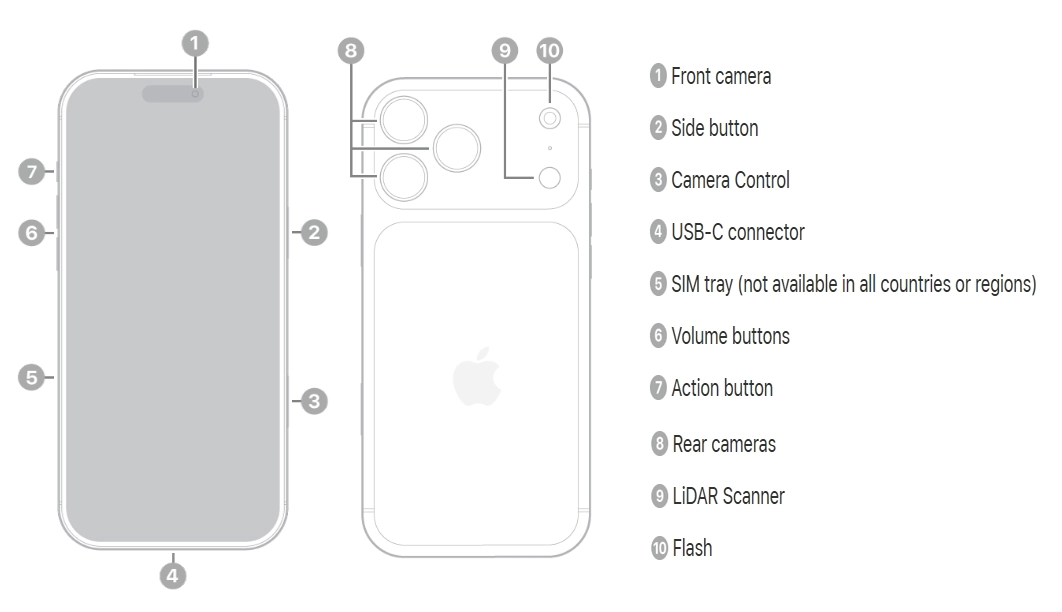
Step-by-Step to Download iPhone 17 Pro Max User Guide
Head straight to Apple’s support site for the legit free download—no shady third-party sites needed.
- Visit support.apple.com/docs/iphone and select iPhone 17 Pro Max under Documentation.
- Click “iPhone User Guide” to access the PDF (requires free Adobe Reader).
- Download for offline use or add to the Books app on your device for easy searching and bookmarks.
Pro tip: Check for updates after iOS patches to stay current.
How to save the iPhone 17 Pro Max user manual for offline reading
To save the iPhone 17 Pro Max manual for offline reading, download Apple’s official PDF directly from their support site and store it securely on your device or computer.
Download via Apple Support
Access the manual at support.apple.com/docs/iphone, select iPhone 17 Pro Max, and click the PDF link under “iPhone User Guide.” The file downloads instantly for free—no account required—and opens in any PDF reader like Adobe Acrobat or Preview.
Add to Apple Books App
For seamless offline access on your iPhone, iPad, or Mac:
- Open the Books app, and tap the downloaded PDF from Files or Safari.
- Choose “Add to Library” to sync it across devices via iCloud.
- Enable offline mode in Books settings for anytime reading with search and bookmarks.
Third-Party Options
Print to PDF from your browser or use apps like GoodNotes for annotations, but always start from Apple’s source to ensure the latest iOS 26 version. This keeps your manual updated and malware-free.
Key iOS 26 features covered in the iPhone 17 Pro Max
The iPhone 17 Pro Max user manual covers key iOS 26 features like Apple Intelligence, enhanced CarPlay, and advanced camera tools, tailored for seamless device mastery.
Apple Intelligence Highlights
Apple Intelligence powers smart features such as Live Translation for calls, Visual Intelligence for screenshot analysis, and AI-driven photo editing directly in the Camera app.
The manual explains setup, privacy controls, and integration with apps like Messages for smarter replies.
Design and Customization
iOS 26 introduces a “Liquid Glass” interface with customizable Lock Screens, tinted app icons, and full-screen screenshot previews in HDR.
Users learn to personalize Dynamic Island, Action Button shortcuts, and widgets for productivity.
Communication and Productivity
Tapbacks in Messages, cross-device call continuity, and eSIM transfers between iPhone and Android simplify sharing, while the Preview app handles PDF editing on the go.
Battery optimization, Find My enhancements, and Center Stage for video calls get detailed troubleshooting.
Hardware-Software Synergy
The guide links iOS 26 to Pro Max specifics like ProMotion display tweaks, haptic feedback customization, and camera upgrades, including audio input switching.
What’s Inside: Key Highlights
The guide breaks down essentials for beginners and pros alike.
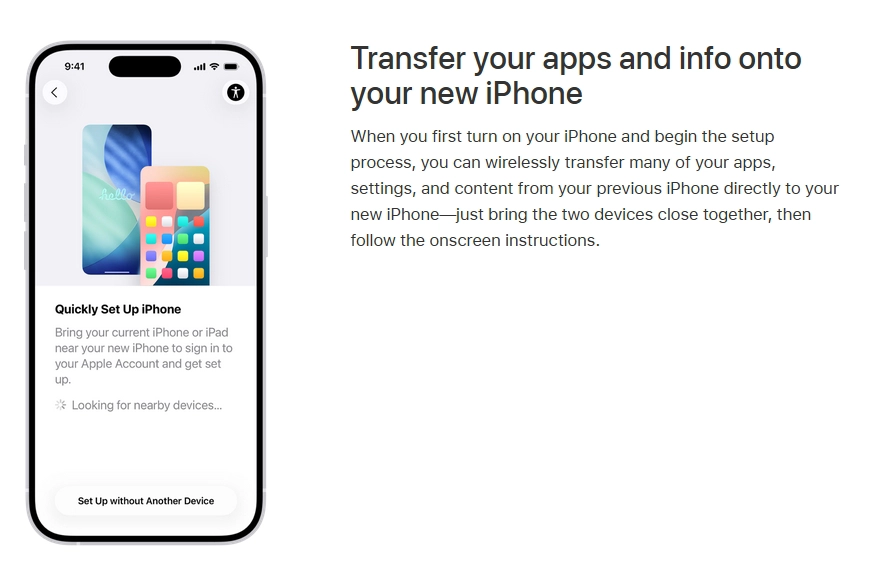
- Setup & Basics: Apple ID sign-in, data transfer from old iPhones, Wi-Fi connection, calls, and App Store navigation.
- Power Features: Camera controls, photo editing with Apple Intelligence, privacy settings, and parental controls.
- Troubleshooting: Battery health tweaks, storage management, and emergency SOS setup.
It’s packed with screenshots for visual learners, making complex stuff like haptic feedback customization a breeze.
Safety First: Avoid Fakes
Stick to Apple’s site to dodge malware-laden knockoffs promising “complete” guides; those are often paid books or unofficial PDFs. The real deal is always free, updated, and tailored to iOS 26 features.
Grab that PDF today, and transform your iPhone 17 Pro Max from a gadget into your ultimate sidekick. Happy exploring—you’ve got this!
2 thoughts on “iPhone 17 Pro Max User Guide PDF: Where to Find and How to Download it for Free”